Security Camera Field of View Calculator
Enter the sensor size, lens focal length and distance to see how wide an area the camera covers.
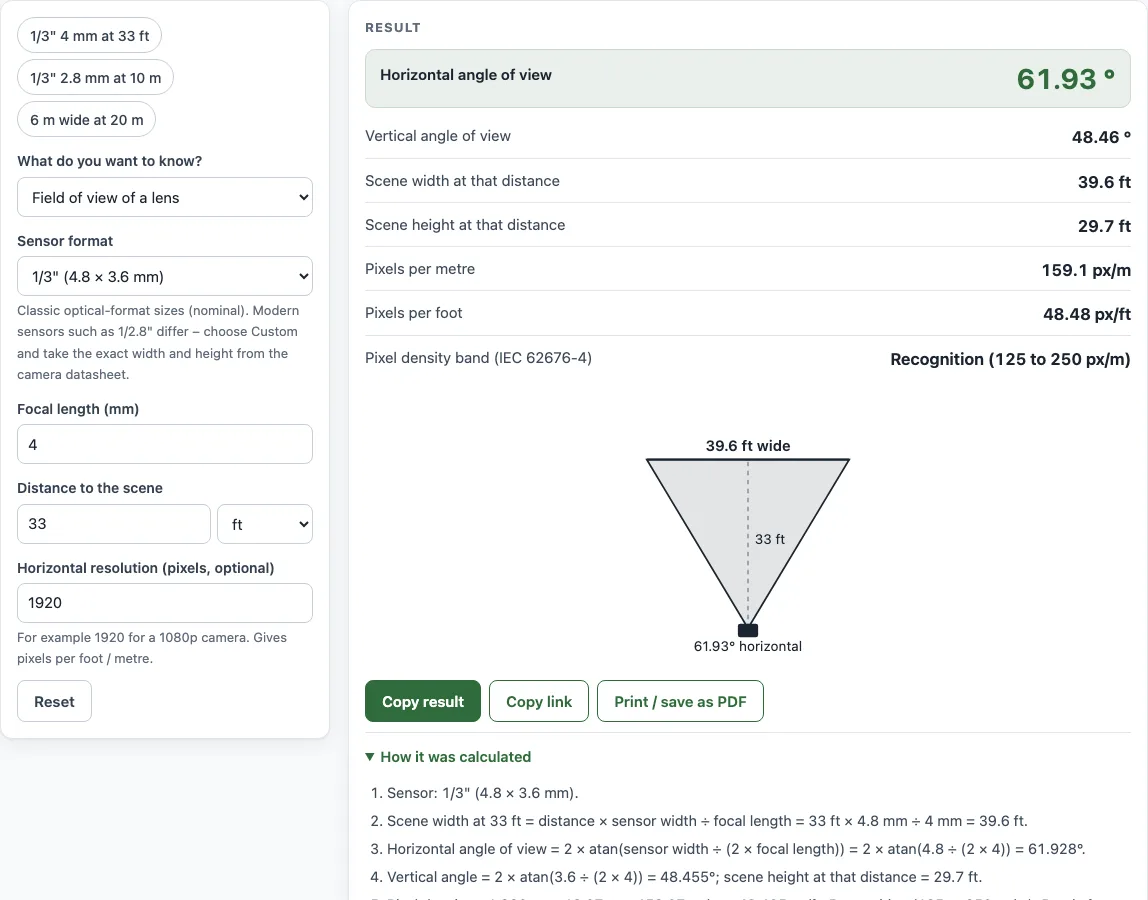
How to use the Camera Field of View Calculator
- Open What do you want to know? and choose either Field of view of a lens or Focal length for a scene width.
- Under Sensor format, pick a classic size such as 1/3" (4.8 × 3.6 mm). For a modern sensor, choose Custom and type the exact size from the camera datasheet into Sensor width (mm) and Sensor height (mm).
- Enter the Focal length (mm) of your lens for a field-of-view result.
- For a focal-length result, enter Distance to the scene and Scene width you want to cover.
- Optionally, enter Horizontal resolution (pixels, optional). For a 1080p camera, use 1920.
- Read the result lines. They update as you type.
Some fields sit under More options. The Example buttons at the top fill in a realistic case, and Reset returns to the starting example. Under the result, Copy result copies the figures, Copy link keeps all your inputs in the page address, and Print / save as PDF prints the inputs, result, calculation steps and date.
Change one value at a time and watch the angle and scene width update. Click Copy link to share a lens choice with a colleague, or Print / save as PDF to keep the calculation with the date for the site survey.
How do you calculate the field of view of a camera?
The horizontal angle of view is 2 × atan(sensor width ÷ (2 × focal length)). The vertical angle uses the sensor height instead. The sensor size is fixed by the camera, so the angle depends only on the focal length: a shorter lens gives a wider view, and a longer lens zooms in with a narrower one.
For example, a 1/3-inch sensor is 4.8 mm wide. With a 4 mm lens, the angle is 2 × atan(0.6), which is about 61.9°. With a 2.8 mm lens the view is wider, and with a 12 mm lens it is much narrower.
Once you know the focal length, the width of the scene at a distance follows from a simple ratio: scene width = distance × sensor width ÷ focal length. At 10 m with the 4 mm lens above, the scene is 12 m wide.
The calculator also works in reverse. To cover a set width, the focal length you need is f = sensor width × distance ÷ scene width. For example, covering 6 m at 20 m with a 4.8 mm sensor needs a 16 mm lens. If the exact figure is not sold, pick the nearest focal length your camera or lens offers, or a varifocal lens that covers it, and run the calculation again to check.
What is pixel density, and what do the IEC 62676-4 bands mean?
Pixel density is the horizontal resolution divided by the scene width, usually given in pixels per metre. It shows how many pixels land on each metre of the scene, which matters more than the angle when you need to see detail.
IEC 62676-4 defines four bands for this purpose. Detection is 25 px/m, Observation is 62.5 px/m, Recognition is 125 px/m and Identification is 250 px/m, which is 4, 10, 20 and 40 pixels across a face about 16 cm wide. Camera makers often round Observation to 62 or 63 px/m (see the Axis whitepaper on IEC 62676-4). As an example, 1920 pixels across 12 m gives 160 px/m. That is enough for recognition but not for identification.
Real lenses add some distortion, and the camera crops the image, so the actual view can differ slightly from the calculated one. Datasheets list the true field of view, and it is worth checking them before you order equipment.
Sources
- Axis whitepaper: Pixel density based on IEC 62676-4:2014 — DORI bands 25 / 62.5 / 125 / 250 px/m (4 / 10 / 20 / 40 px per face).
- Optical format sizes (1/3" 4.8 × 3.6, 1/2" 6.4 × 4.8, 2/3" 8.8 × 6.6 mm): W. J. Smith, Modern Optical Engineering, Appendix B.
Worked examples
| Input | Result |
|---|---|
| 4 mm lens at 10 m | 61.93° wide, scene 12 m wide |
| 2.8 mm lens at 50 ft | 97.63° wide, scene 114.3 ft wide |
| Cover 6 m at 20 m | 16 mm lens (17.06° wide) |
| Cover 25 ft at 60 ft | 15.36 mm lens (23.54° wide) |
Calculated by the tool above with these values.
Frequently asked questions
Is this field of view calculator free to use?
Yes. The tool is free and needs no sign-up. Everything runs in your browser, and nothing you type is uploaded.
Can I use the results in a quote or job sheet?
Yes. Results may be used in commercial work such as quotes, material lists and job sheets, with no attribution needed. They are estimates for planning and ordering.
What if my sensor is not one of the standard sizes?
Choose Custom under Sensor format and enter the width and height in millimetres. Modern sensor names such as 1/2.8" do not match their inch size exactly, so take the figures from the camera datasheet.
Why does the angle look different on my camera?
Lens distortion and the camera’s image crop change the view a little, so the real picture may not match the calculation exactly. Very wide angles are also less accurate and show stretched or curved edges. Check the datasheet for the actual field of view.
What does it mean when the tool warns that pixel density is too low?
A warning appears when pixel density falls below the lowest IEC 62676-4 band, which is 25 px/m for Detection. At that density people may not be reliably detected at that distance. Move the camera closer, use a longer focal length, or use a higher-resolution camera.
Can I save or share my settings?
Yes. Copy link keeps all your inputs in the page address, so opening the link restores the same result. Print / save as PDF produces a copy with your inputs, result, calculation steps and the date.
Related tools
- CCTV storage calculator — hard drive size and days of recording.
- IP camera bandwidth calculator — network bandwidth and upload for your cameras.
- Fence cost calculator — the materials list and total cost with your local prices.
- Chain link fence calculator — the full chain link materials list.
- Fence post spacing calculator — the number of posts and an equal spacing.
- Deck railing calculator — posts, balusters and rails for a deck.